
Some of the monster elements are a bit conventional so far, but on the whole another horror triumph limited series from Mike Flanagan.
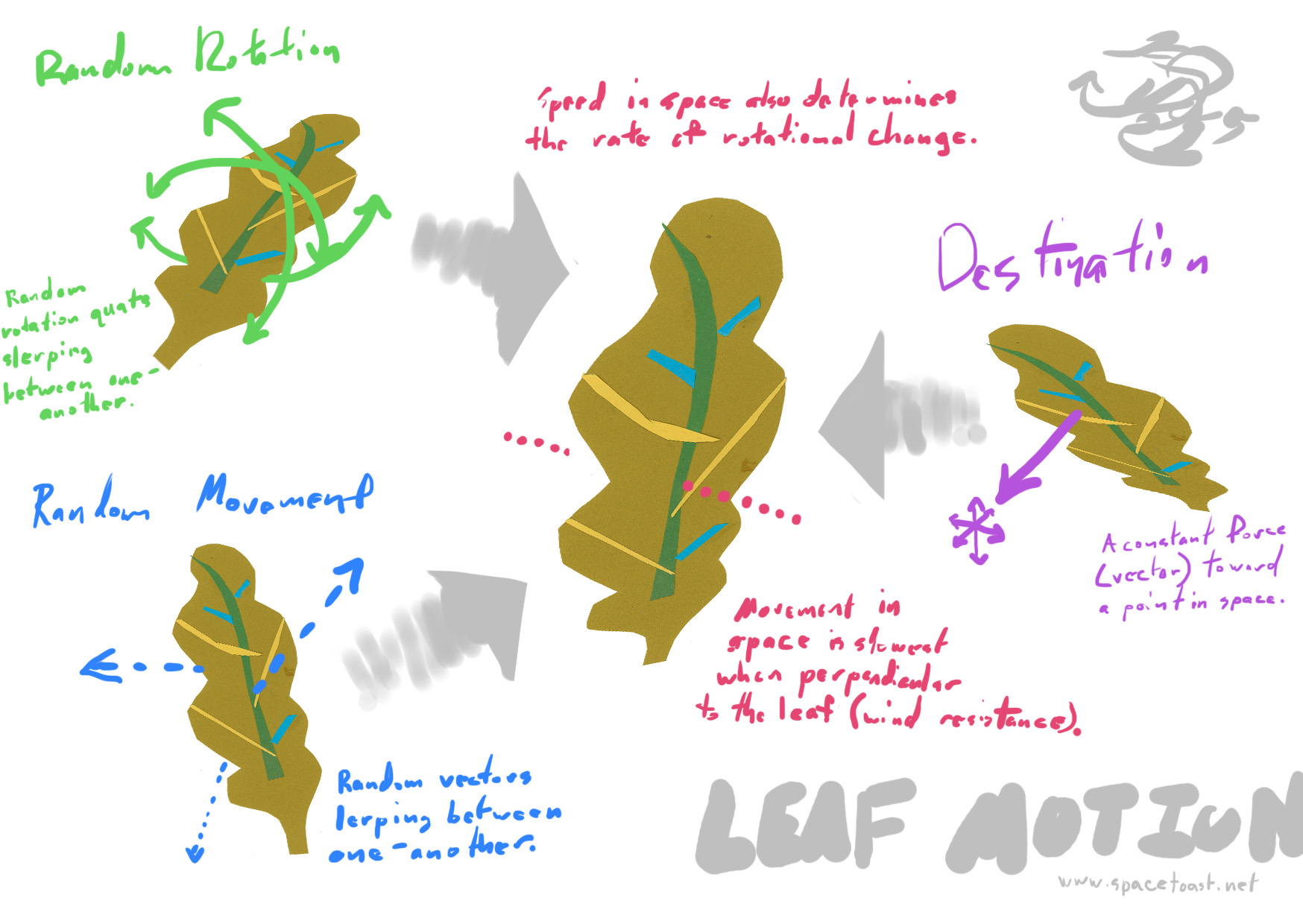
Leaf Motion
Hashtag Organized…

Solus: 2.5D Character Control & Footprints
The protagonist (we never came up with a name for her) moves along a 2D plane in a 3D environment, with generally realistic platforming movement inspired by Flashback: The Quest For Identity. The system uses the Unity physics engine, manually controlling the character’s momentum to create grabbing and climbing, and adds quadratic drag for “crunchier” falling per Bennet Foddy’s 2015 GDC lecture. I started by modifying an existing character control script, the final system ended up a complete rewrite.
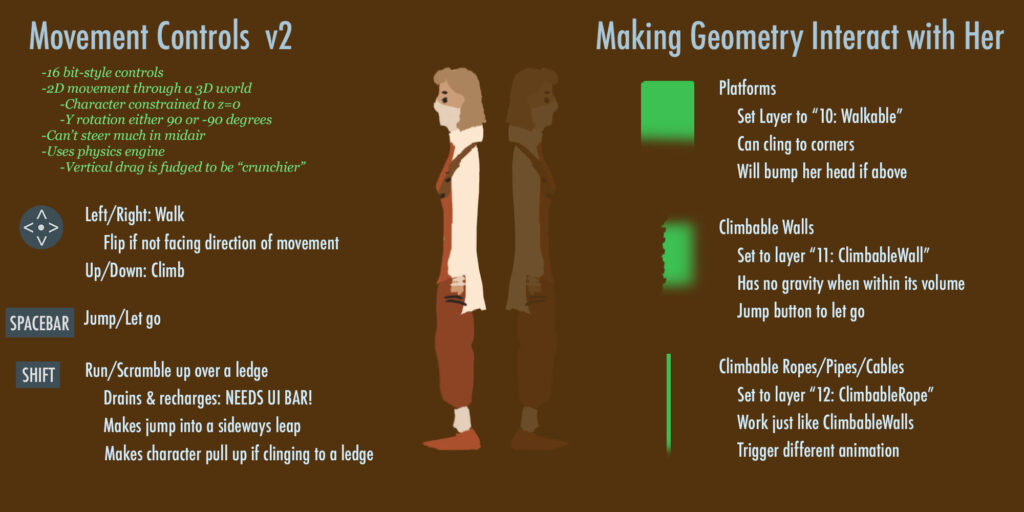
Character interaction is controlled with Layers. If an object has a Collider and is in Layer “Walkable,” the protagonist can traverse it, including ledge grabbing when appropriate. Rope climbing is the same, only with Layer “ClimbableRope.” (Wall climbing was also implemented, but cut for time.)
Want to play with it? You can download the Unity package here. Feel free to use the controller scripts & prefab setup for whatever you’d like (but not Anastasia Jacobsen’s cute character model please!)
Footprints are based on the method used in Röki. At the animation frames of the walking and running cycles where the foot first makes contact with the ground, an animation event is called with a boolean indicating left or right foot. A Projector Prefab with a Normal Map Texture is then instantiated at the location of the foot’s Bone. The Prefab has its own script, which fades the Normal Map out over 10 seconds, and then self-deletes.
The Solus demo is available on to download and play on Itch.io (Mac & Windows).
Solus: Lighting Up the Desert
Anastasia Jacobsen’s concept for Solus is an attempt at a semi-hard-sci-fi take on Alex McDowell’s “Planet JUNK” collaboration. The Earth has somehow stopped rotating, creating a 6 month summer/winter cycle and migrating the oceans away from the equator.

In the demo, the player journeys down into the sand-buried remains of a skyscraper looking for water. For visual interest (and irony) I suggested the Futurist city of Brasilia which went over well with the team: Niek Meffert, Anastasia Jacobsen, Rosa Friholm, Ida Lilja, and myself. I was Technical Artist and Lighting Designer. (Solus was the first of two Planet JUNK collaborations. Many lessons learned were later applied to Shrooms.)
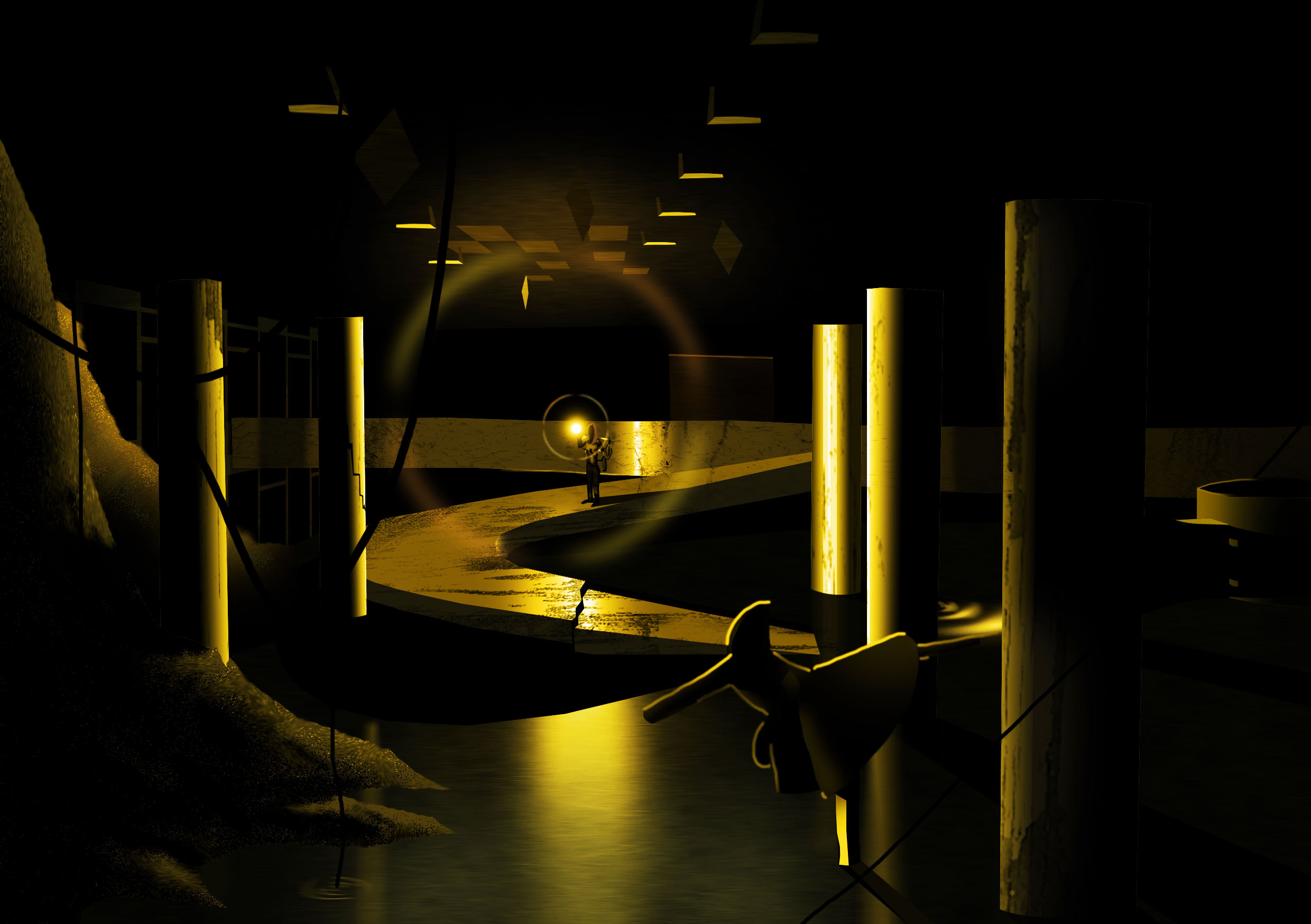
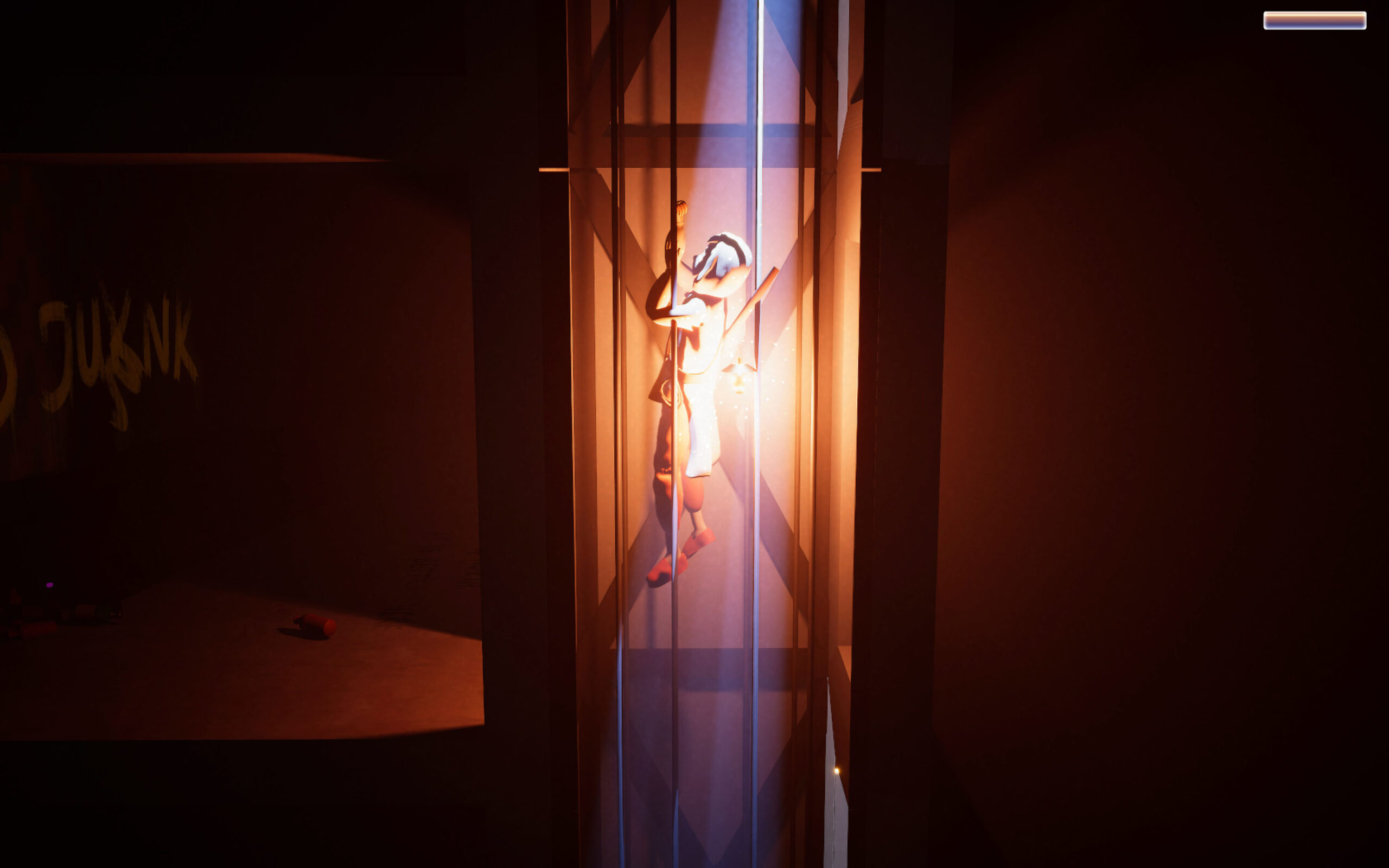
Solus uses Unity’s High Definition Rendering Pipeline (HDRI), allowing a wide variety of realistic volumetric effects—the simulation of light’s interaction with microscopic particles suspended in air, like smoke, water droplets and dust.
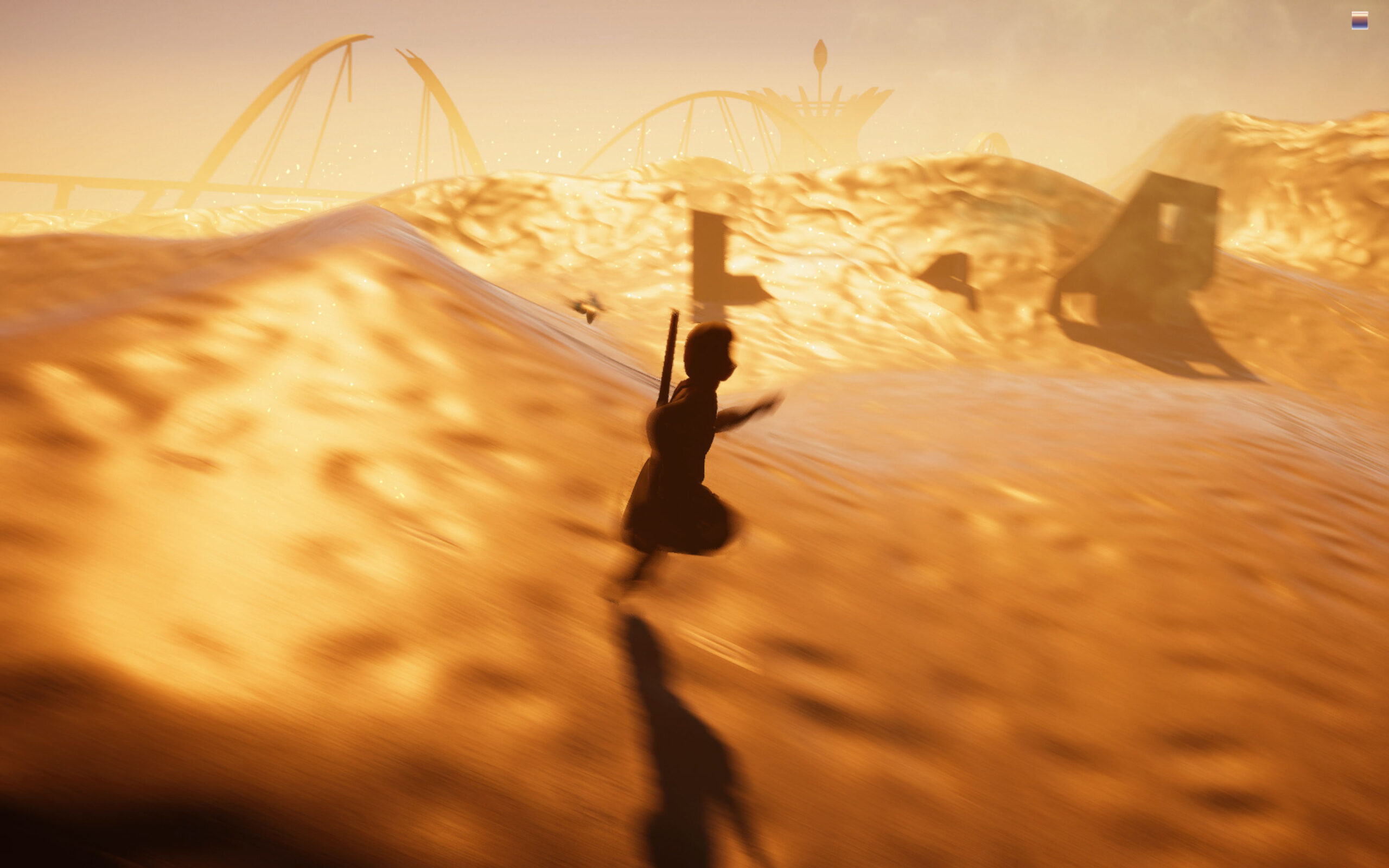
Topside, the lighting is very simple. There’s a Directional Light (sun) and not much else. Fill lighting is created by Global Illumination from the skybox. Blowing sand is created with the Unity VFX Graph. A number of post-processing effects are added, including Bloom, Tonemapping, Color Curve adjustments (for a more cinematic “desert” look) and a custom sparkle shader in the brightest areas. A faint volumetric Fog pervades the scene, to create a dusty atmosphere. Slightly behind the main plane of action, a second “thicker” Fog Volume is added, faded from bottom to top, to make the background distances appear greater and create a Bryce-like height fog effect.
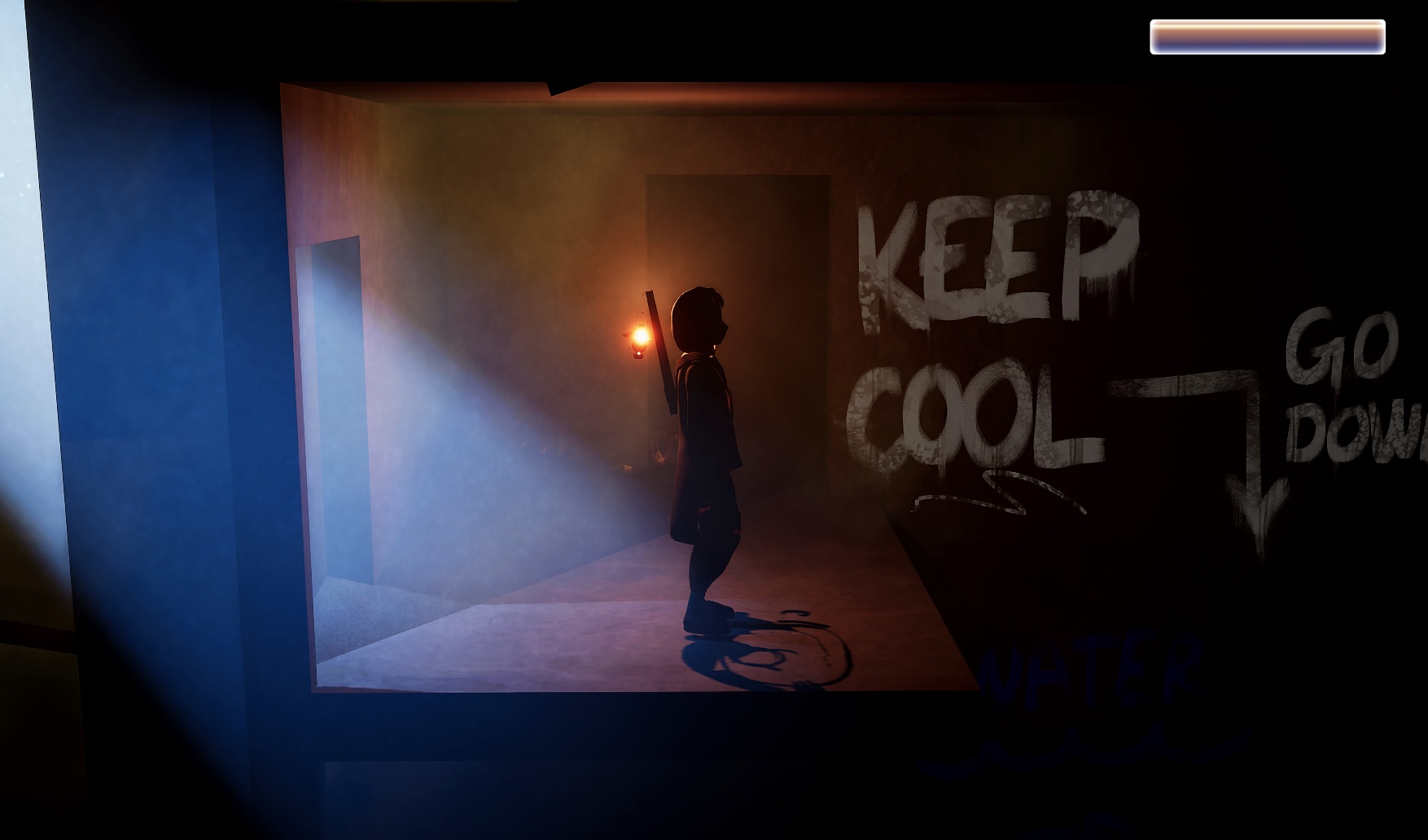
The underground lighting is primarily driven by a Point Light attached to the character’s lantern. The Volumetric Fog is thicker, increasing with depth into the buried skyscraper. An extremely bright Spot Light shines in through the entrance, volumetric and colored bright blue to contrast with the warmer lantern light. A similar, very narrow bright blue Spot Light shines down from the top of the first elevator shaft, as if a tiny stab of sunlight were blazing in through a chink in the roof. Farther down, mushrooms glow with an eerie green Emissive Material, casting light onto their surroundings via covert green Area Lights.
The theatrical darkness demanded that a final Light be added, to only be activated while editing the scene—literally named “Work Light.”
The Solus demo is available on to download and play on Itch.io (Mac & Windows).
Liminal Spaces
“What would happen if I stayed here?” you ask the void.
“Nothing,” the void whispers back. “Absolutely nothing.”
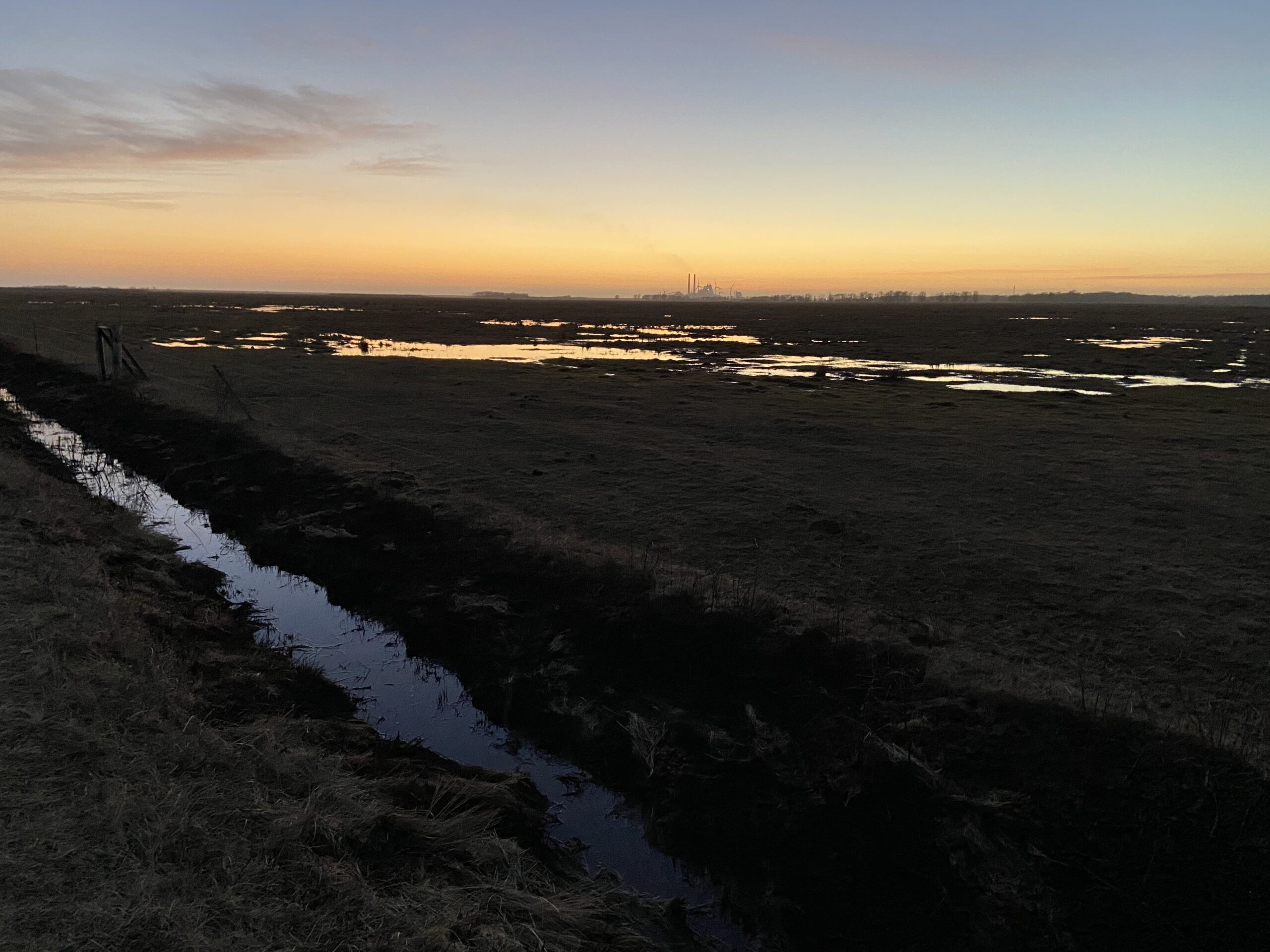
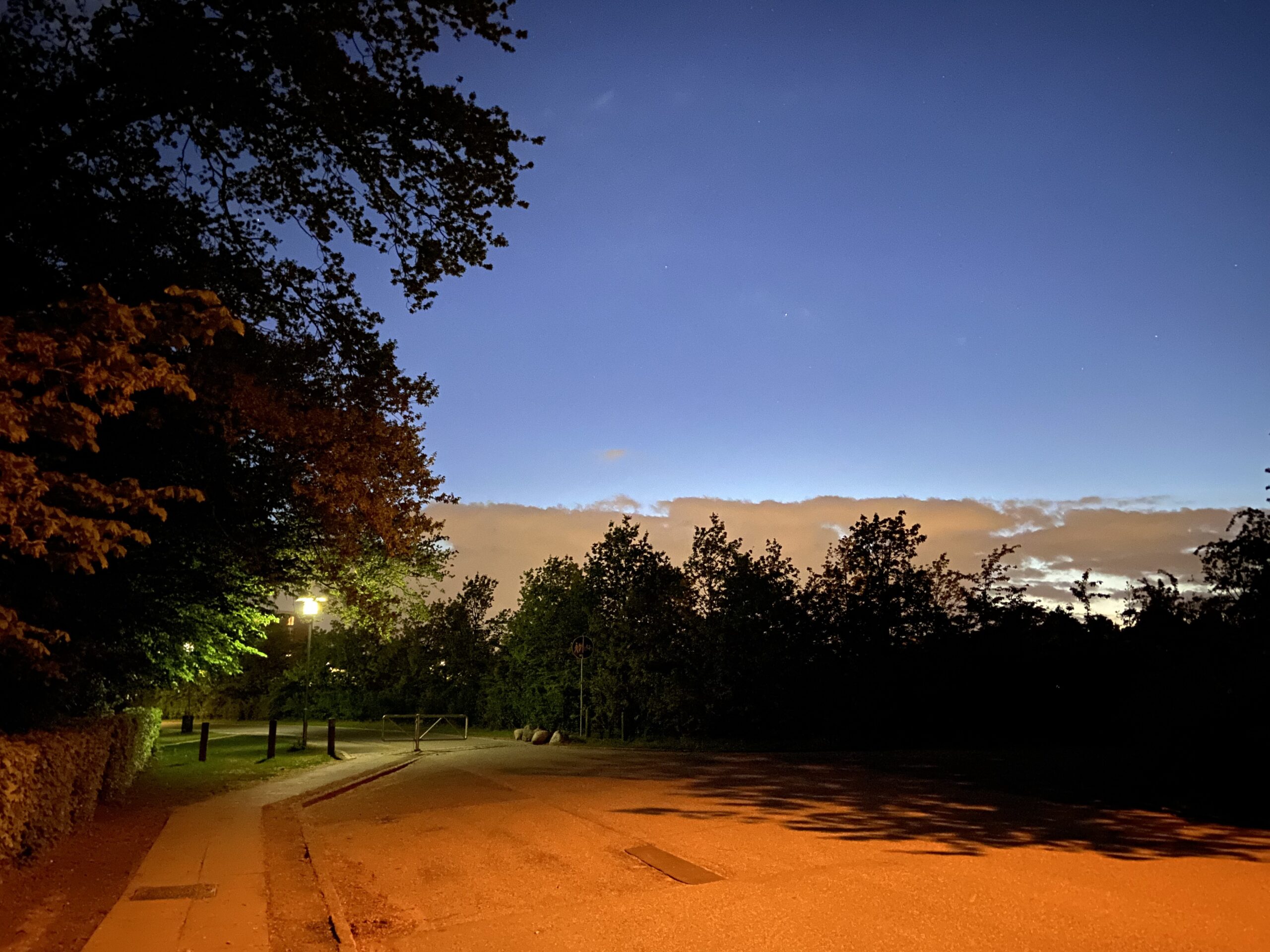
Pretending I Can Paint

Shrooms: HDRP in URP
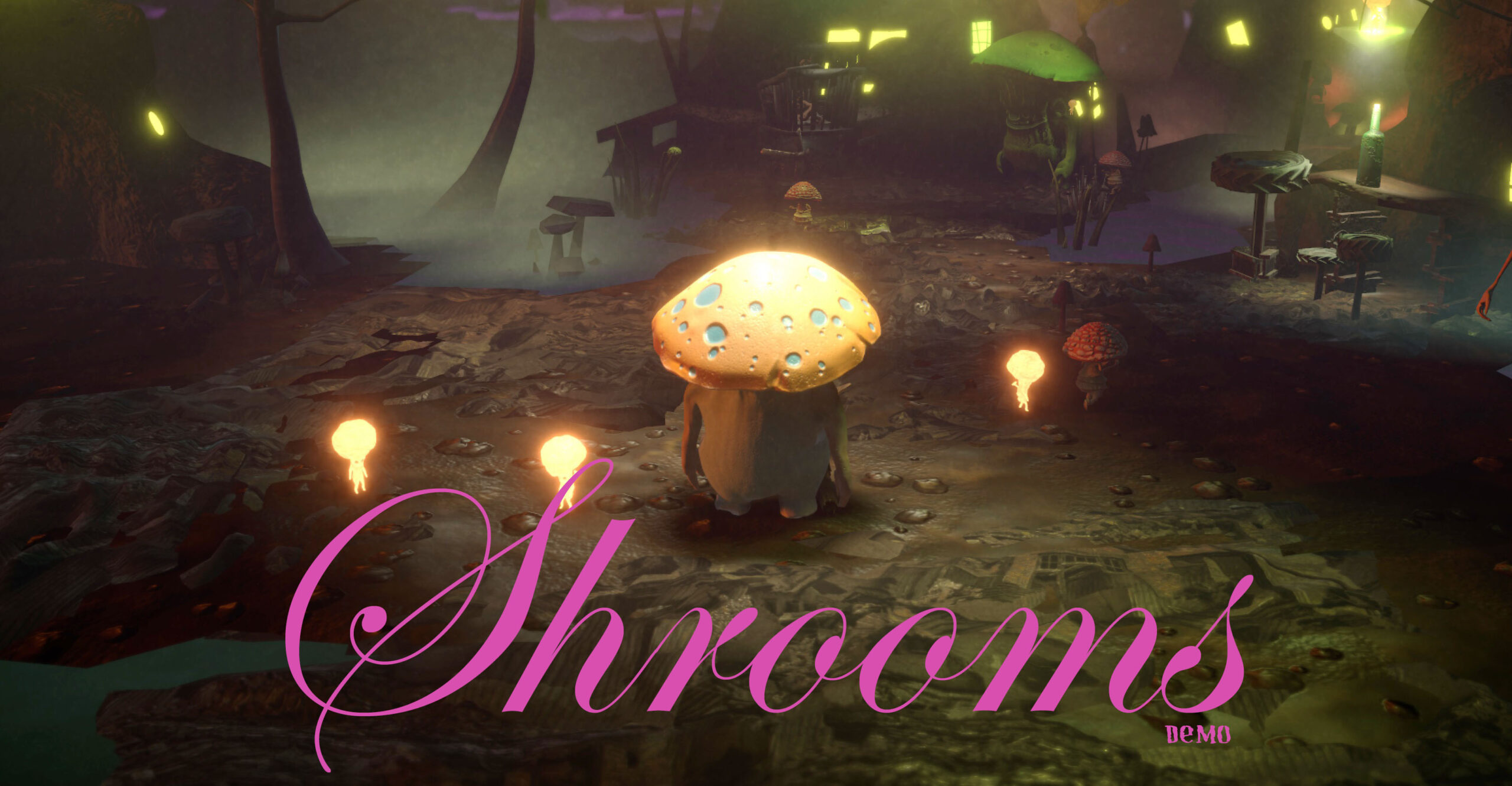
The Shrooms demo runs on Unity’s mobile-friendly Universal Render Pipeline (URP), which doesn’t support volumetric fog and lighting like the High Definition Rendering Pipeline (HDRP). An early design decision was to lock the camera to only about 20 degrees of rotation off the default view axis. This allows many computationally-inexpensive (oldschool) cheats and tricks to create rich atmosphere. My mantra was: “HDRP in URP.”
Lighting
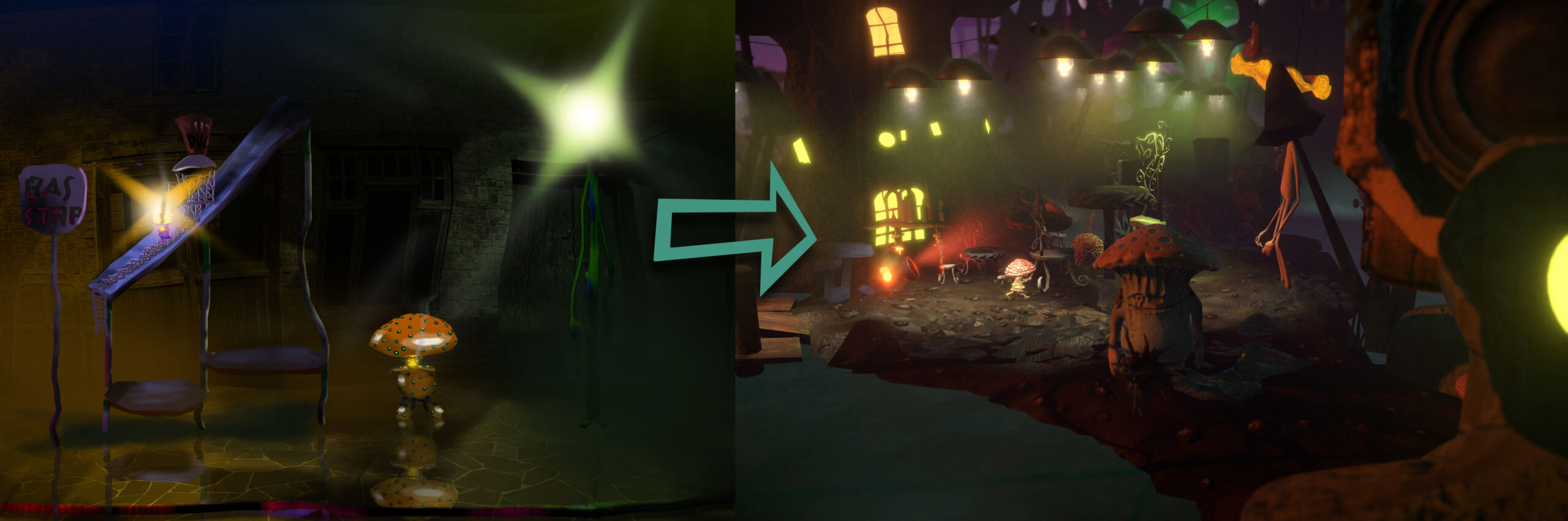
In the Shrooms world, lightbulb is a job. Every light source is a glowing, bioluminescent mushroom person. The Copenhagen-inspired strings of street lamps that draw the viewer through the level each contain an animated Bulb Guy (created by Niek Meffert) sitting in a little wire gondola underneath a beat-up reflector. It’s a living.
He/she, and the remainder of the lamp, are set to not cast shadows, and contain a downward-facing Spot Light. There are 37 in all, in addition to a wan Directional Light sun from the left—which is a problem, because Unity’s URP has a hard limit of 8 lights per mesh. The Unity Terrain tool splits the ground into a couple dozen smaller tiles, but the initial result was most of the light sources being simply ignored by the ground mesh, and glows often visibly sliced off where they crossed tile boundaries. Baked Lightmaps and realtime lighting in URP both share the lights-per-mesh limit.

The solution was to place pieces of flattened human-world junk along the ground, to disguise the boundaries and ensure that every light creates a visible effect. The junk shader uses a Texture stitched together in Photoshop from derelict building photographs, with a rough Normal Map.
Like the noise functions, the Texture is applied in World Space, allowing the same low-res crumpled square of debris to be recycled, stretched and resized ad-nauseum, with the Texture remaining undistorted and matching up perfectly at object boundaries. I’ve been a big fan of using world space shaders to create visual variety in instanced models since The House of Time–which, yes, will finally get some big updates this summer.
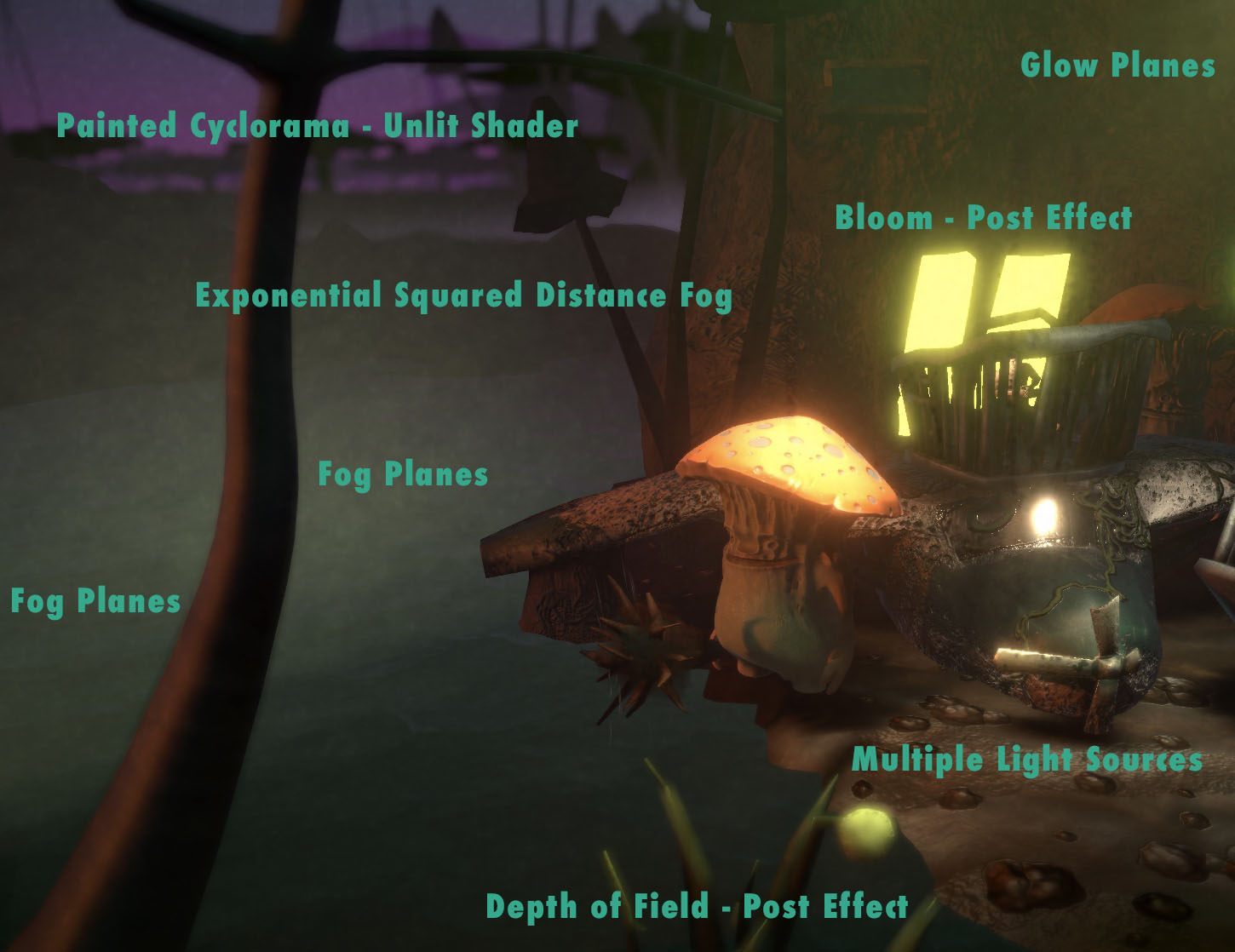
Simple exponential-squared Distance Fog ties the effects together, creating additional depth, and a Bloom post effect softens the edges of windows and other bright objects to match. A Depth of Field post effect further softens objects in the extreme foreground, adding to the murky intimacy, and the deep background is a hand-painted backdrop by Natasha Beck in an Unlit Shader.
Faking Volumetrics
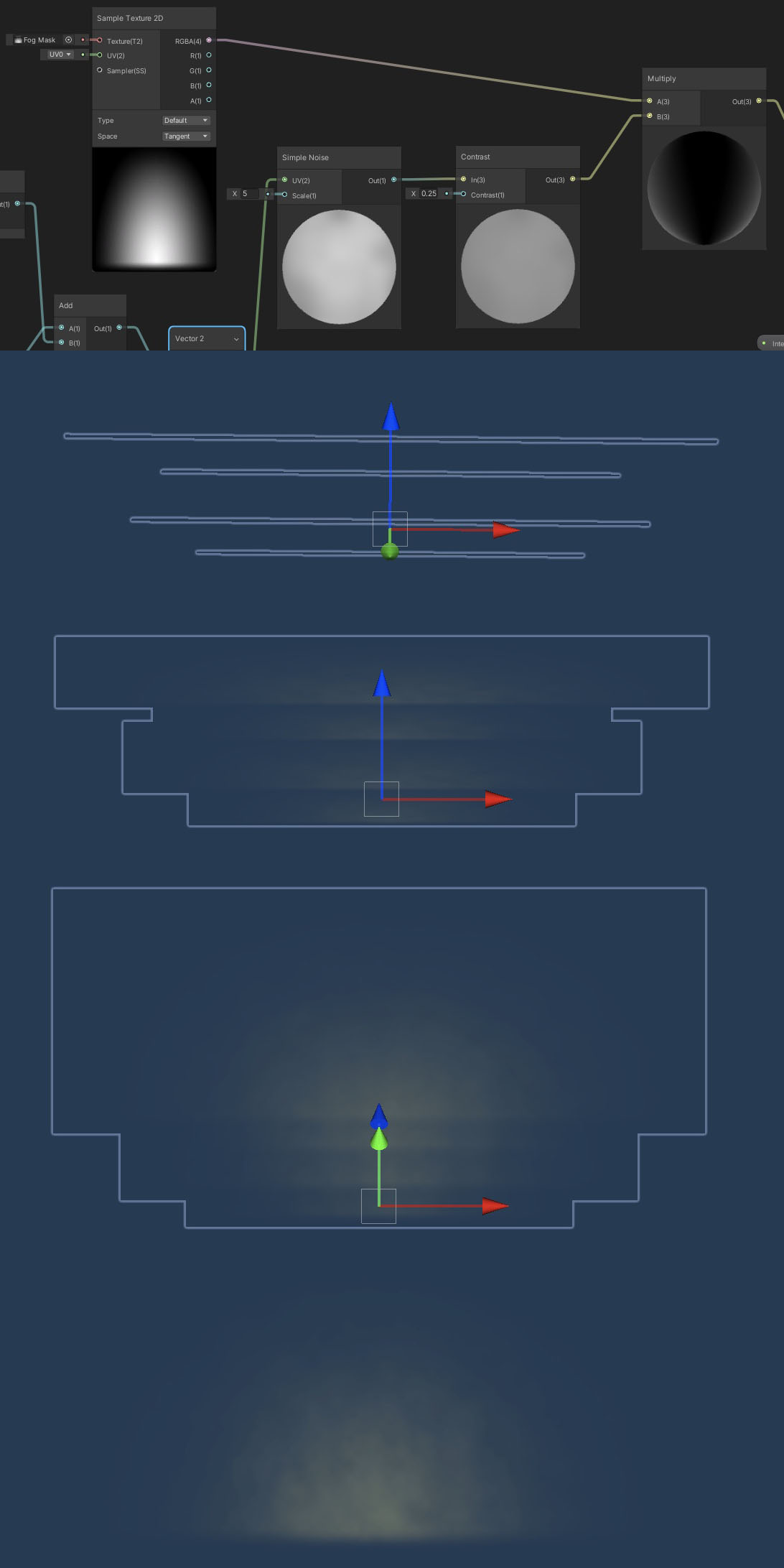
It’s a not-so-dirty not-so-secret that even in high-end film compositing software volumetric lighting is faked by slicing the camera’s Z-axis into stacked, transparent planes at render time. This is what Shrooms does manually. Using the limited camera view and careful placement, patches of fog are created with a shader on a small stack of transparent planes. The shader multiplies a half-circle gradient alpha Texture with a procedural noise function. The noise slowly migrates up the Y-axis, as if mist were rising off the swamp. The noise is generated in World Space, so that scaling, squashing or stretching the fog planes creates no distortion to the noise pattern.

Light glows work the same way. Each light fixture model contains a set of three planes: Two larger, colored, more transparent ones in front and back, and a smaller, more opaque, white plane in the center. The alpha Texture is a narrow cone gradient, aimed downward, and the World Space noise function slowly falls, like misty drizzle. The bright spotlights in the arena and cafe are just variants on this scheme, and a circular glow is used in a couple of additional spots.
Shrooms: Color & Forms
In Niek Meffert’s concept for Shrooms, giant mushroom people battle giant plant people in their swampy homeland, while grinding the remnants of humanity under their figurative boots. The dev team was Meffert, Lucas Oliveira, Sabrina Christiansen, Kaspar Dahl, Natasha Beck, and myself as Lighting Designer and Technical Artist. You can check out the demo (Mac & Windows) on Itch.io here.
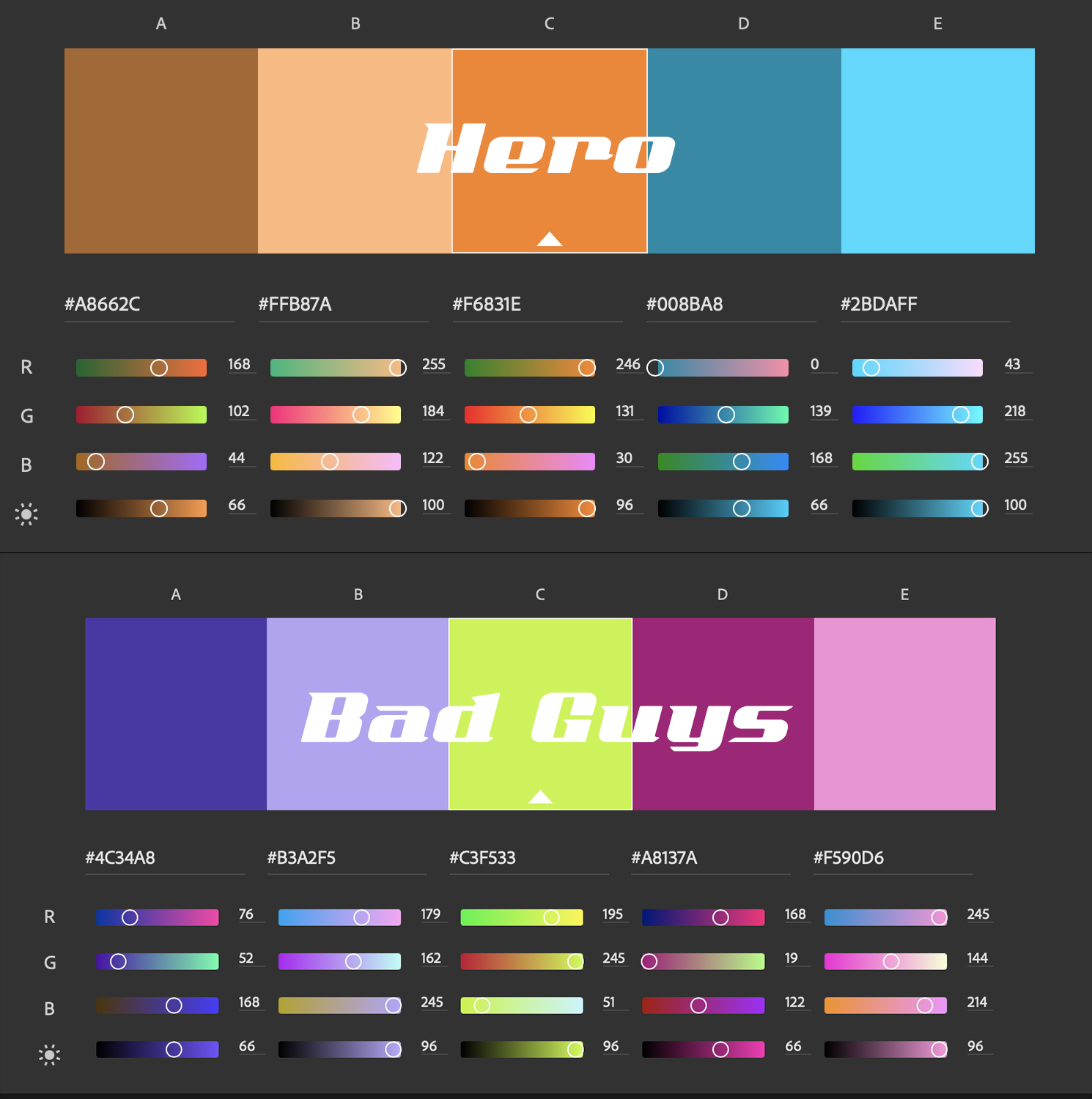
The objective was to create a bright, colorful, murky, fungal setting. Fungus suggests bright, “sickly-sweet” tertiary colors, and we wanted an organic, lively scene. However, with too much clashing color the scene would have become busy and unreadable. Just finding your way and knowing what to interact with would have meant a frustrating cognitive load.
For that reason, I worked with the team to enforced certain rules to control user attention. The main character is in complementary colors. The bad guy’s color palette is a high-saturation split complement. NPC characters each have a single, dominant color. Non-interactive parts of the scene favor muted, analogous colors.
Lighting rules were also held to. Unimportant parts of the level fall back into mist and shadow. The character path is comparatively well lit, always suggesting where the player can and can’t go. Interactive parts of the scene (usually just-for-fun destructibles) pop comparatively, while others harmonize.
Forms avoid straight lines, with blobby, asymmetrical and impractical shapes but—importantly—recognizable outlines. Classic Warcraft games, and the art of Chris Sanders (Lilo & Stitch) were strong references here.
And of course, what’s the point of a game without asshole physics?
Oh Steam…
Kubrick twist: Searching Steam aliases is notoriously broken! This seems to be a known issue that’s been causing consternation for half a decade. Specifically, aliases with trailing numbers (e.g. spacetoast123) are unfindable with the exact string, and usually with a partial string.

So, while I’ve been able to send a friend request to the Second Prize raffle winner ($25 USD), who has no trailing numbers, nothing I’ve tried has brought up profiles for the First and Third Prize winners ($75 and $25, respectively).
If you entered the raffle, and your Steam alias ends in numbers, please friend me via my public profile page: https://steamcommunity.com/id/rhinocrate/ Over 300 hours of Civilization VI? Yes, it’s a problem. Regardless, you may have already won! I promised not to post handles publicly (and creating a duplicate with the same alias seems quite easy) so winners can’t be directly announced.
Bottom line: If you ever run a stunt like this yourself, even though it might make you look spammy, get an email too.